iPhone & iPad
Daily reports, photos, activity progress and cost insights on iOS and iPadOS.
View on the App Store →SITE RECORDS · CONSTRUCTION DOCUMENTATION
Keep daily reports, site photos, workforce and materials together. Follow activity progress and recorded costs with a clear view of the work ahead.
Now available on iPhone, iPad and Android
Project portalComing soon
Practical tools for project managers, site engineers and supervision teams—from the daily record to the bigger picture.
Review workforce, materials and photos by day, week or month. Move from a project overview into the records behind it.
Record weather, workforce, activities, materials and notes in a clear daily report, with inline quantity controls.
Follow activity quantities against targets. Review cumulative progress and recorded workforce and material costs, with useful breakdowns.
Link photos to activities and materials, then review them in saved report journals. Add tags and annotations to keep the details clear.
Use Solo mode for individual projects or Team mode for shared cloud records, with report authorship and project membership.
Share records as PDF, Excel or Word files, with site notes, resource details and photos. Available options depend on your plan.
TAKE A CLOSER LOOK
Explore actual demo-account screens from iOS and Android, with the same focus on clear construction records.
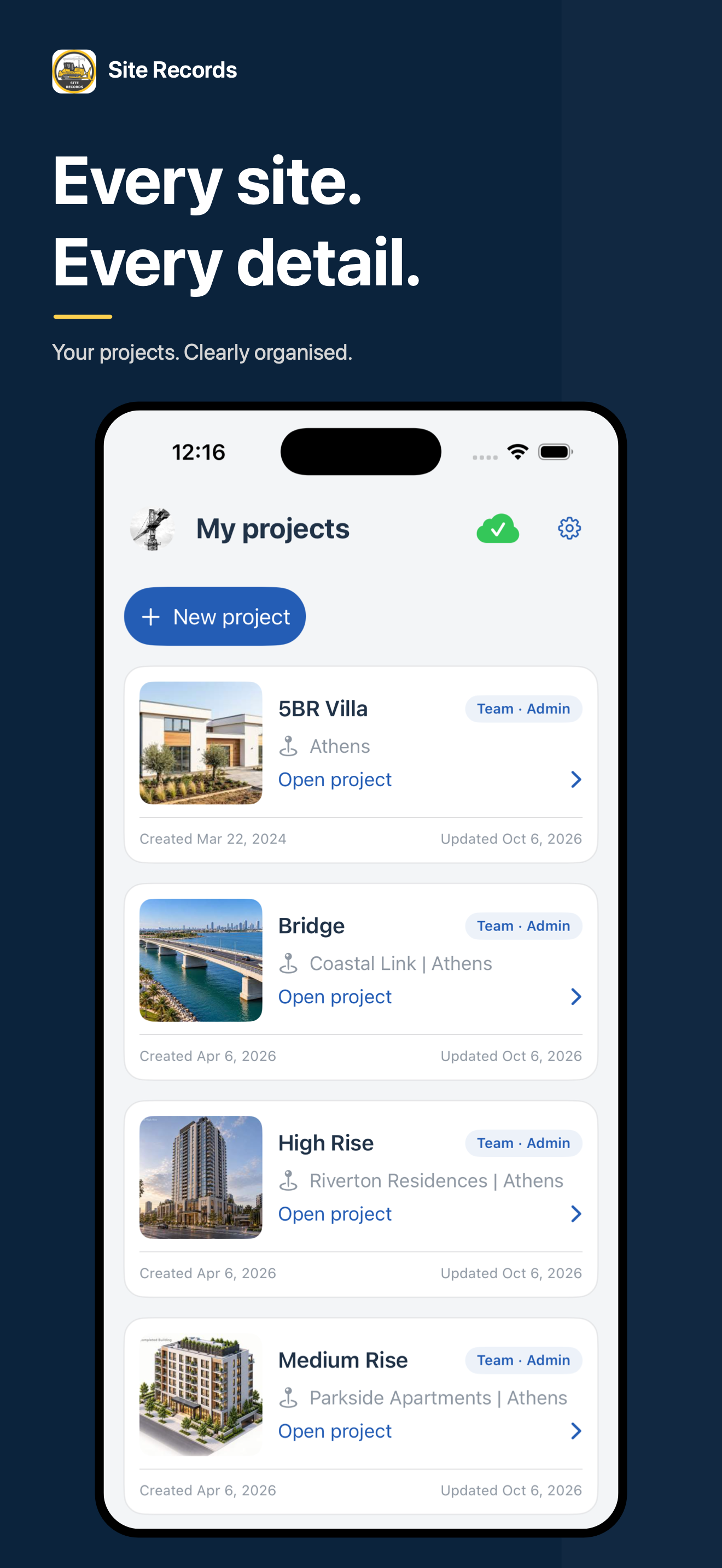
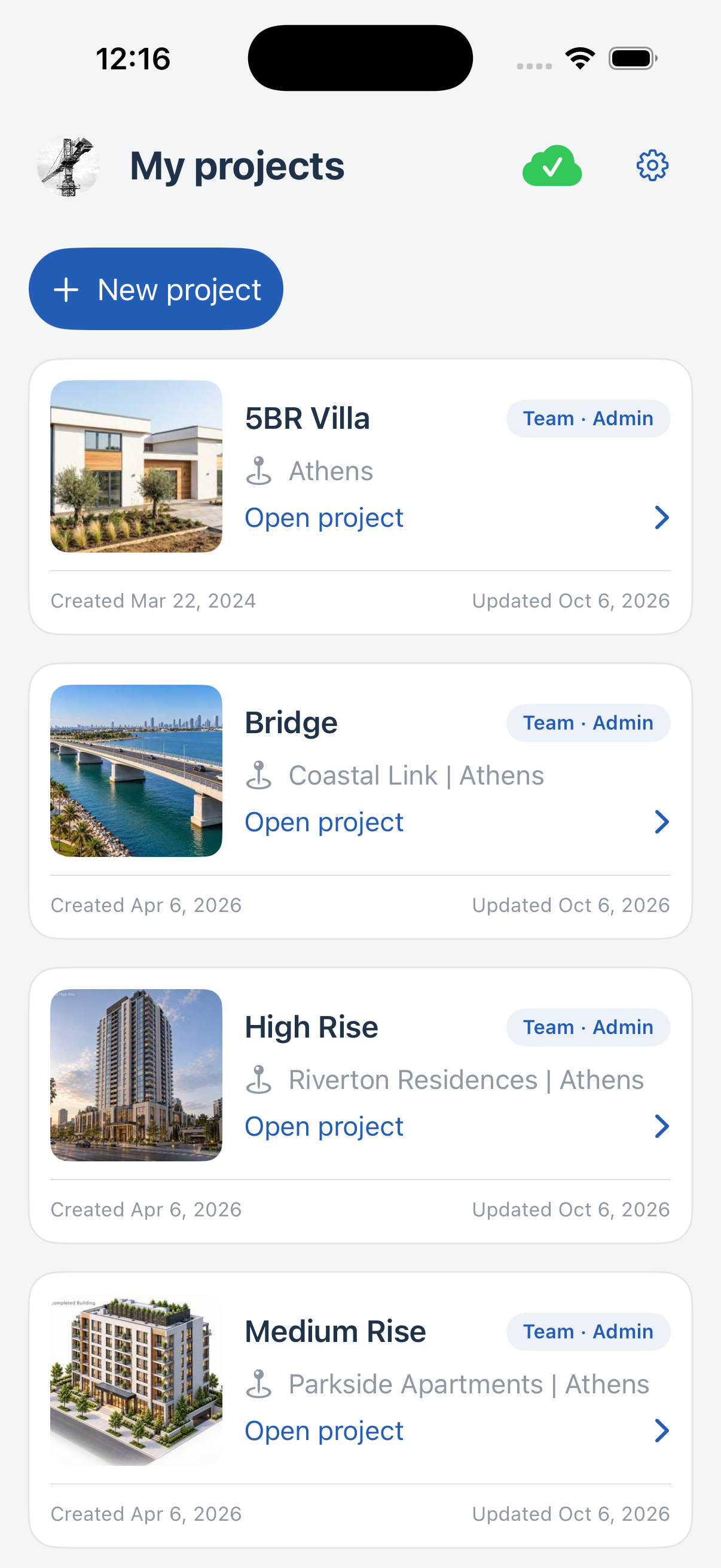
Move between projects and keep each site's records in context.
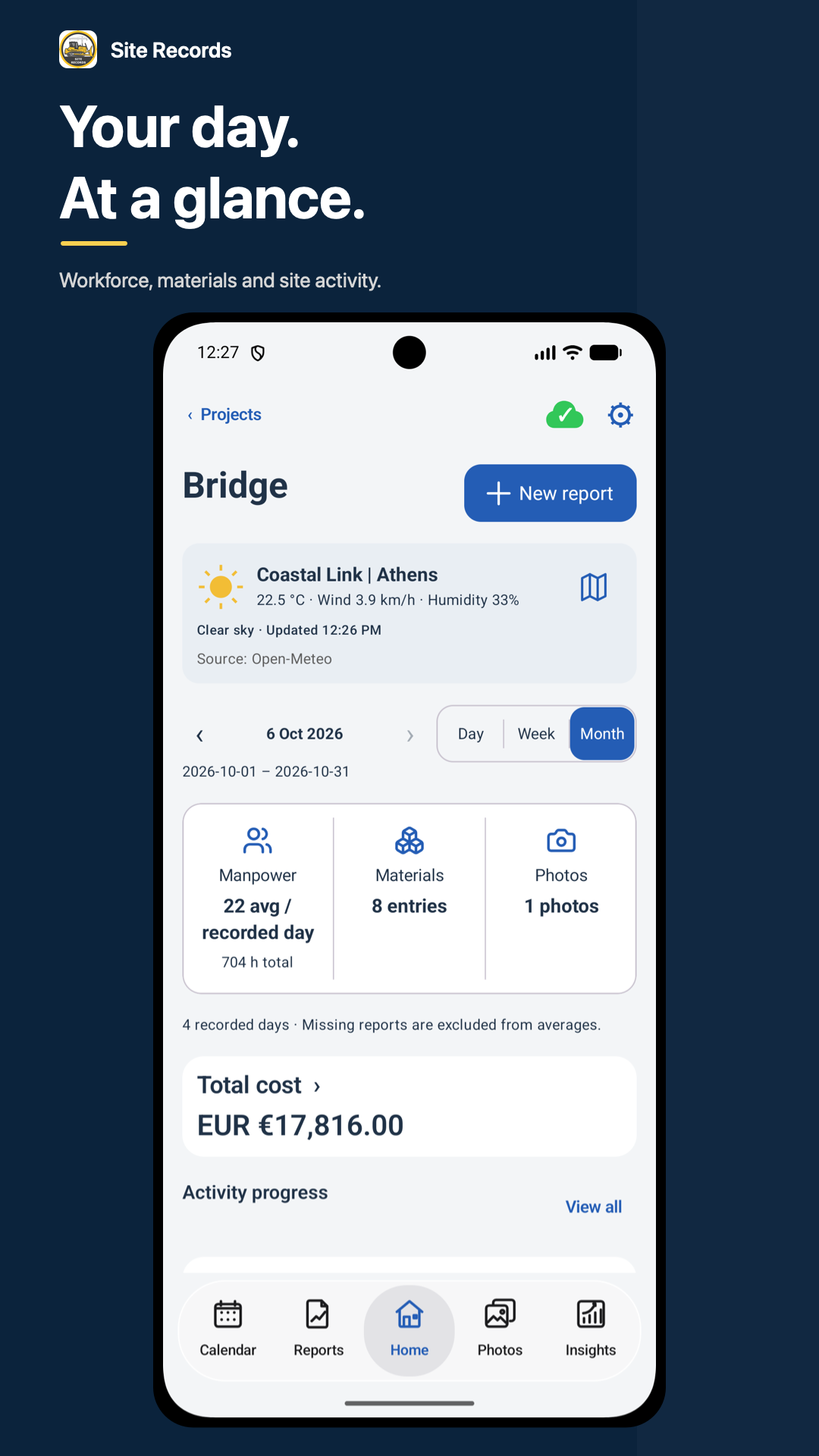
Review people, materials, photos and recorded costs for the selected period.
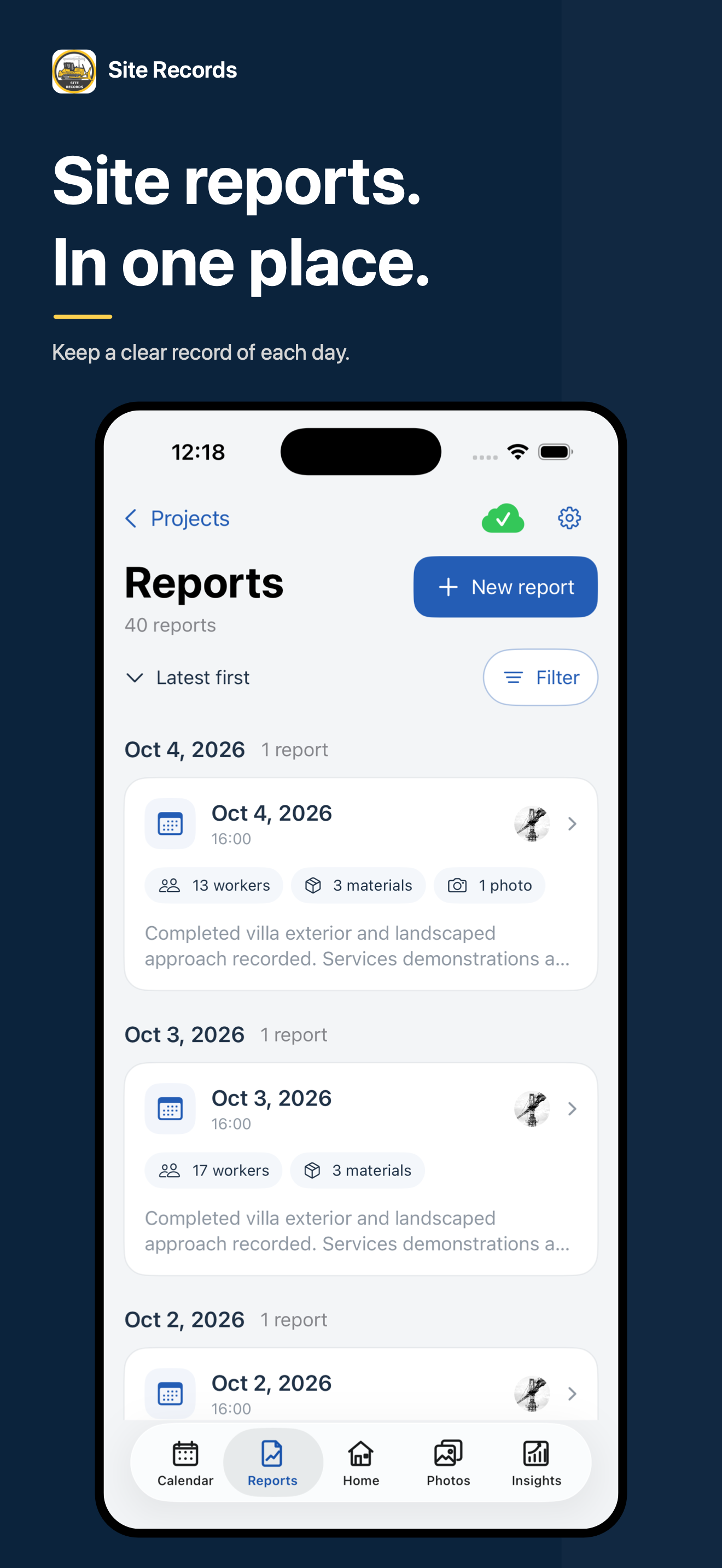
Find dated reports and the workforce, materials and photos recorded on site.
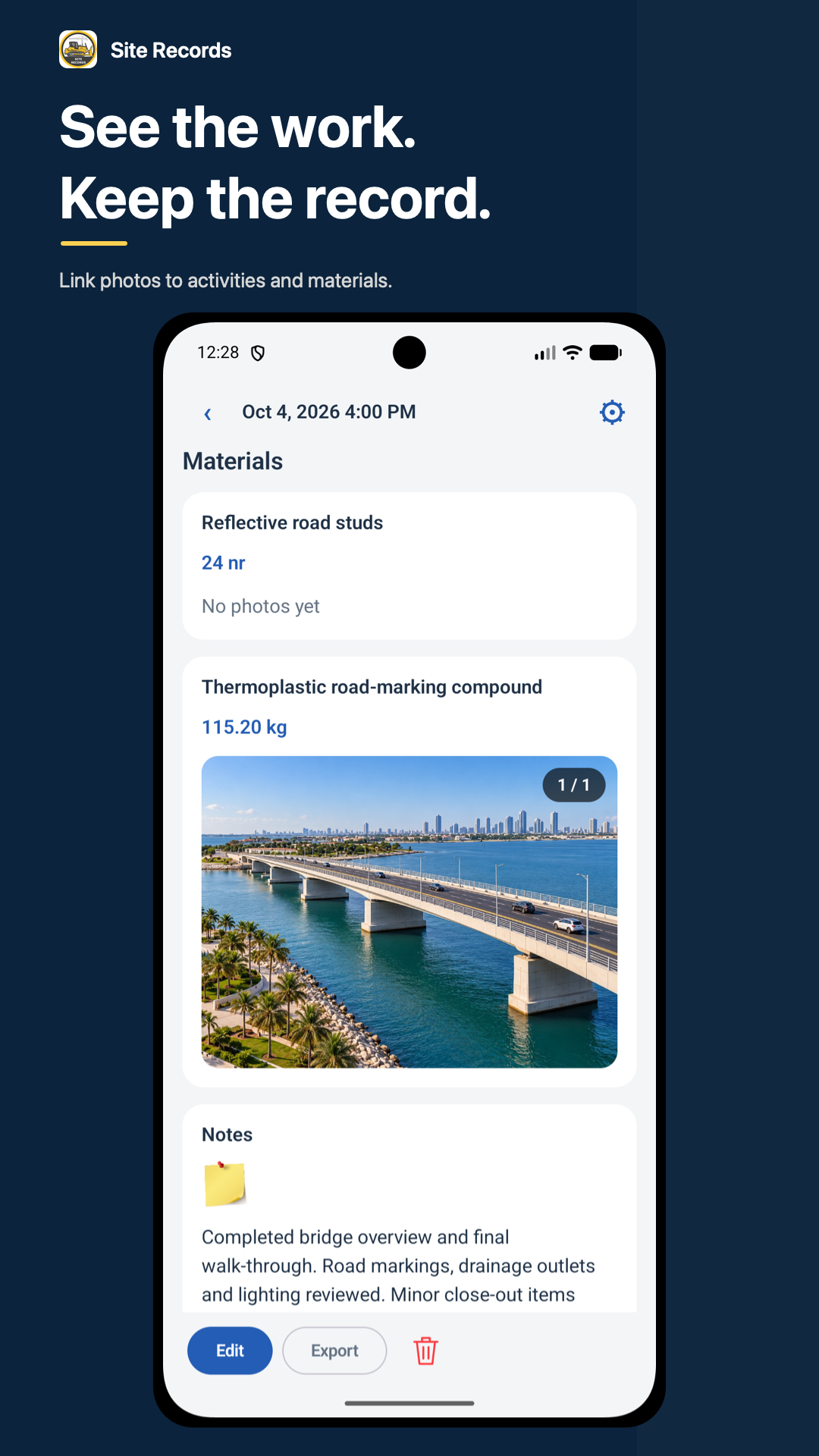
Link site photos to activities and materials, and review the images alongside quantities in saved reports.
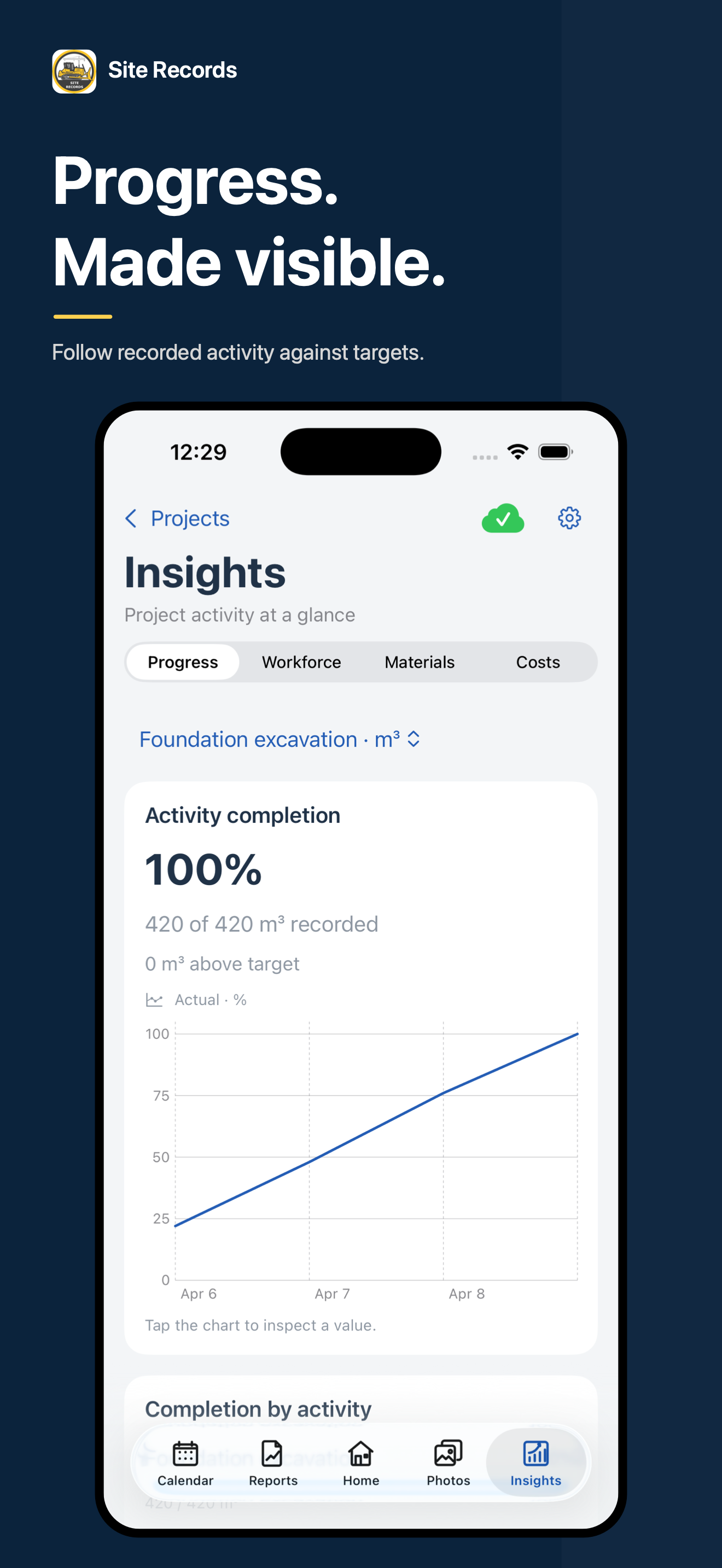
Compare recorded quantities with targets and review cumulative progress.
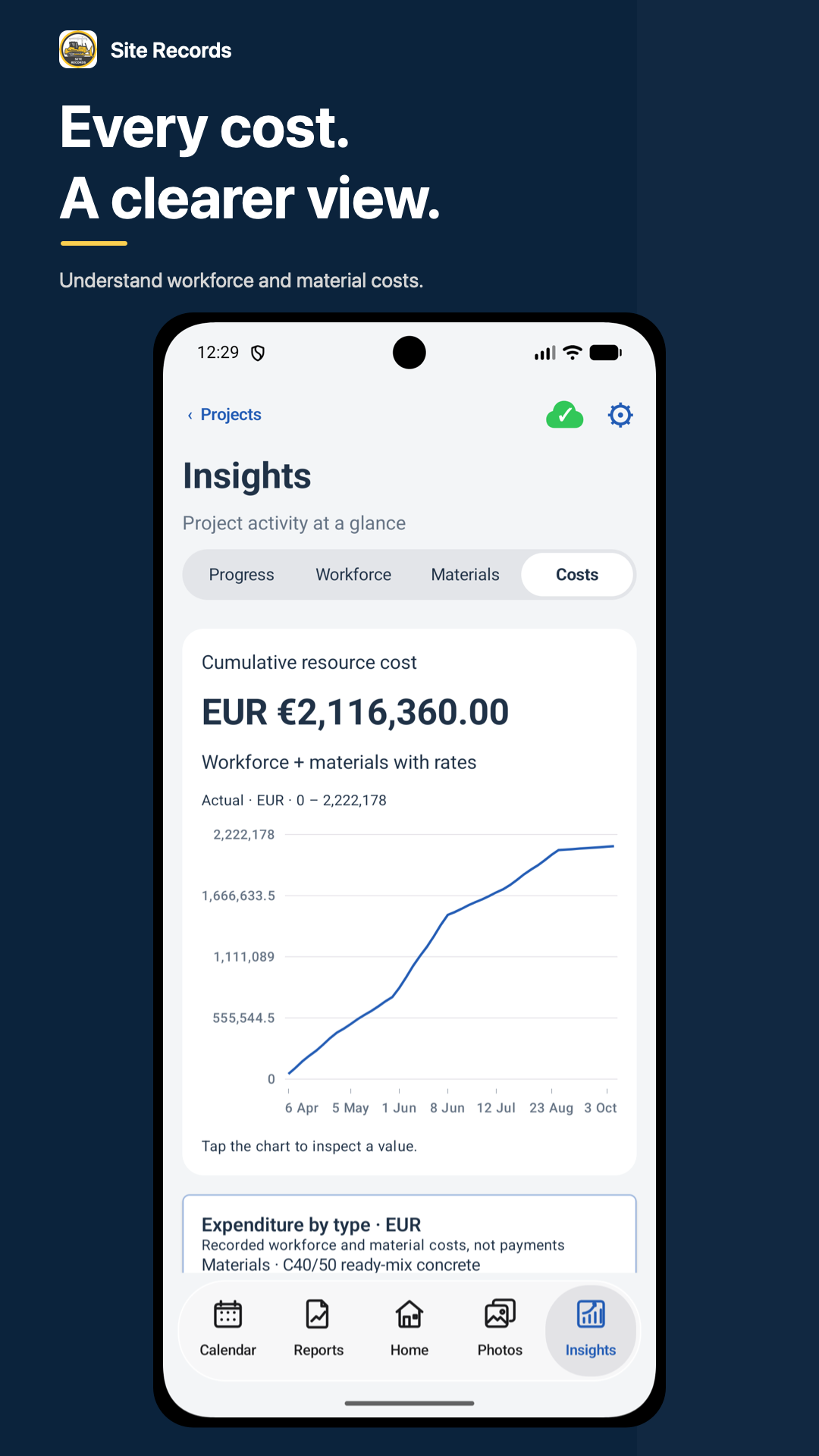
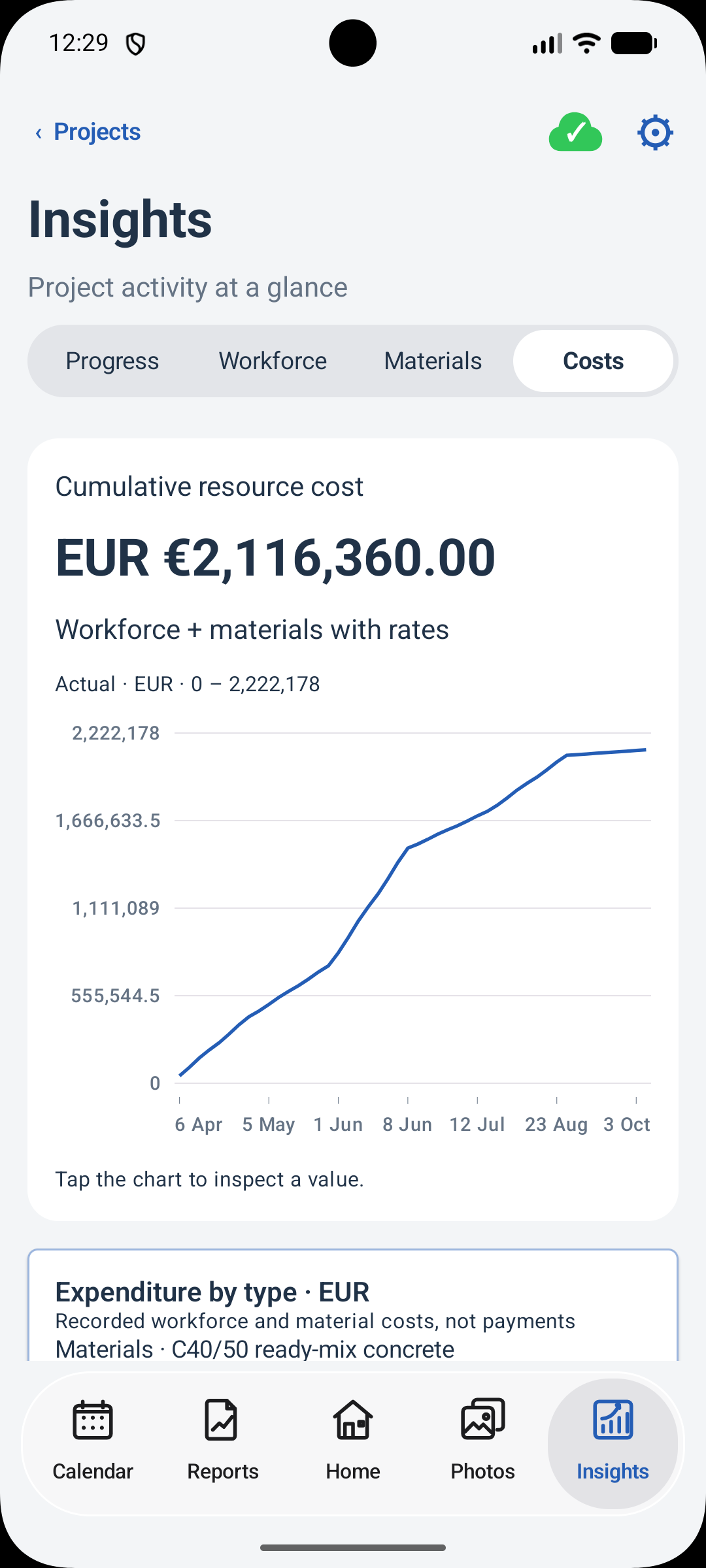
Review cumulative workforce and material costs. These are resource records, not payments.
Screens show illustrative demo projects. Layouts and available options vary by platform and plan.
ON SITE. IN VIEW.
Site Records brings the day's documentation into a clear mobile workspace. Explore both interfaces above.
Daily reports, photos, activity progress and cost insights on iOS and iPadOS.
View on the App Store →Keep projects, daily reports, site photos and cost insights together on Android.
Get it on Google Play →Keep project notes, dated reports, workforce hours, material quantities, site photos and activity quantities together. Review daily summaries, progress and cost insights from those records.
Insights summarises recorded workforce and material costs using the quantities, hours and rates entered in your reports. It is not a payment, invoicing or accounting ledger.
Yes. Solo mode supports individual projects. Team mode uses shared cloud project records. Available capacity and premium options depend on each user's plan.
Start with the Free plan and upgrade when you need more capacity or premium options. Current prices and any eligible trial offers are shown in the app before purchase.
Yes. Download Site Records for iPhone and iPad from the App Store, or for Android from Google Play. The gallery shows actual demo-account screens from both platforms.
Start free and upgrade as your needs grow. All plans include our core features.
No subscription required
Start recording in Solo mode or try a shared Team project.
€59.99 / year
Coordinate your team in the cloud. Includes all Premium Solo benefits.
€29.99 / year
More capacity and clearer reporting for your individual projects.
Paid amounts are reference prices in euros. Current prices, currency and eligible trial offers are shown in the app before purchase. Subscriptions apply to each user; a Team subscription does not automatically upgrade invited members. Archived activities keep their history and do not count toward active activity limits.
We'd love to hear from you! Share your feedback, report issues, or suggest new features to help us improve Site Records.
Found something that's not working correctly? Let us know and we'll fix it as soon as possible.
Have an idea that would make Site Records even better? We're always looking for ways to improve.